
Cookie Duration in Affiliate Marketing: Find What, Why, and How

You work hard to drive traffic. Your affiliate clicks the link. The visitor browses around. And then… nothing gets tracked. Sound familiar? That is often a cookie duration problem, and it costs affiliates real money every single day.
Whether you are running your own affiliate program or promoting someone else’s products, understanding cookie duration is one of those things that quietly makes or breaks your results.
Key Takeaways: Affiliate Cookie
- A cookie is a small file saved in a visitor’s browser when they click an affiliate link. Cookie duration is how long it stays active.
- Most shoppers do not buy on the first visit, so a short cookie window means affiliates lose credit for sales they actually drove.
- 30 days is the industry sweet spot. Go shorter for impulse buys, longer for high-ticket or subscription products.
- Private browsing, ad blockers, and device switching can all wipe a cookie before the purchase happens.
- First-click rewards the affiliate who introduced the customer. Last-click rewards the one who closed the sale. Pick one and stick to it.
- In FluentAffiliate, set your cookie duration under Settings, then Referral Settings, then Tracking and Credit Rules. No coding needed.
- Affiliates talk to each other. A fair cookie window attracts better partners who promote harder.
What Is Cookie Duration in Affiliate Marketing?
Let’s start simple. When someone clicks an affiliate link, a small file gets saved in their browser. That file is called a cookie. It tells the store, “Hey, this visitor came from affiliate X.”
Cookie duration is just how long that file stays active. If a cookie lasts 30 days, the affiliate gets credit for any purchase that happens within those 30 days after the click. If the visitor comes back on day 31 and buys, the affiliate gets nothing.
Think of it like a sticky note. The moment someone clicks your affiliate link, the system puts a sticky note on their browser. Cookie duration is just how long that sticky note stays stuck before it falls off.
Simple, right? But the implications go much deeper than most people realize.
Read in-depth: How Do Affiliate Links Track Customer Purchases?
Why Cookie Duration Matters More Than You Think
Here is something worth sitting with for a moment. Most online shoppers do not buy on the first visit. Research consistently shows that buyers often need multiple touchpoints before they pull out their credit card. They compare options, sleep on it, check reviews, and come back later.
This is why cookie duration is so critical.
If your cookie window is too short, your affiliate sends you a warm, ready-to-buy lead, and by the time that person finally clicks “Purchase,” the cookie has already expired. The affiliate earns nothing. You get the sale without rewarding the person who sent it.
That is not just unfair. It actively discourages affiliates from promoting your products. Why would they keep sending you traffic if they rarely get credit?
On the flip side, if you are an affiliate choosing between two programs with similar commission rates, you are almost always better off going with the one that offers a longer cookie duration. More time equals more chances to earn.
How Cookie Duration Actually Works Step by Step
Here is the full journey, broken down clearly:
- You share your unique affiliate link on your blog, social media, or email newsletter.
- A potential customer clicks your link and lands on the store.
- The store’s system drops a tracking cookie into the visitor’s browser at that exact moment.
- The visitor browses, maybe adds items to cart, but leaves without buying.
- A few days later, they come back directly to the store and complete the purchase.
- If the cookie is still active (within the set duration), the system matches the purchase back to you.
- You earn your commission.
This whole process runs silently in the background. Most customers have no idea it is happening. But for affiliates and program owners, it is the core engine that makes commission tracking work.
Explore more: How Affiliate Marketing Works (Ultimate Clarity Guide)
Common Cookie Duration Lengths (and What They Signal)
Not all programs use the same cookie windows. Here is a quick breakdown of what you will typically see across the industry:
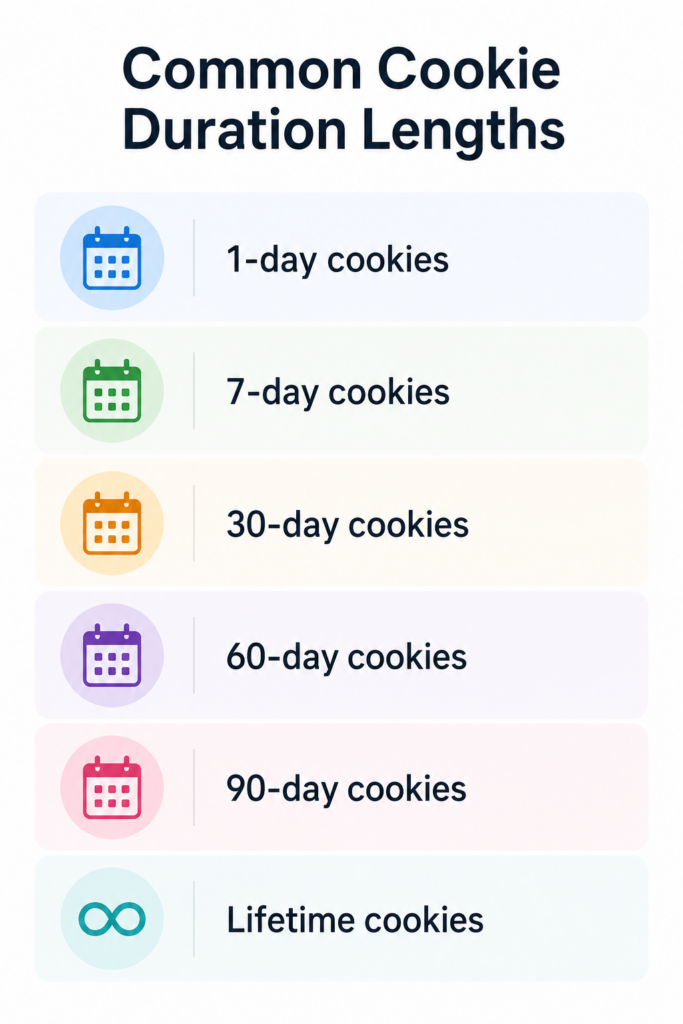
1-day cookies
This is rare and honestly a bit frustrating. Some programs, including certain well-known ones, use very short windows. The justification is usually that impulse buyers convert fast. But for affiliates promoting high-consideration purchases, this is a tough setup.
7-day cookies
A more common short-term option. It works decently for products people buy quickly, like lower-priced digital items or consumables. Still, it does not give much room for people who like to think before buying.
30-day cookies
This is the sweet spot for most affiliate programs. Thirty days gives enough time for most purchase decisions to play out. It is fair to affiliates while being manageable for merchants. FluentAffiliate uses 30 days as its default setting for this reason.
60 to 90-day cookies
These signal a generous program. They are especially valuable for higher-ticket items, B2B products, or services where buying decisions take longer. Affiliates tend to work harder promoting programs with longer windows.
Lifetime cookies
Some programs offer cookies that never expire. This is usually seen with recurring subscription products. Once someone signs up through your link, you earn commissions on every renewal indefinitely. It is the holy grail for affiliate marketers.
First Click vs. Last Click Attribution: The Cookie Conflict
Here is something that does not get talked about enough. What happens when someone clicks multiple affiliate links before buying?
Let’s say a customer clicks an affiliate link from blogger A on Monday. Then they see a coupon from affiliate B on Thursday and click that too. They buy on Friday.
Who gets the commission?
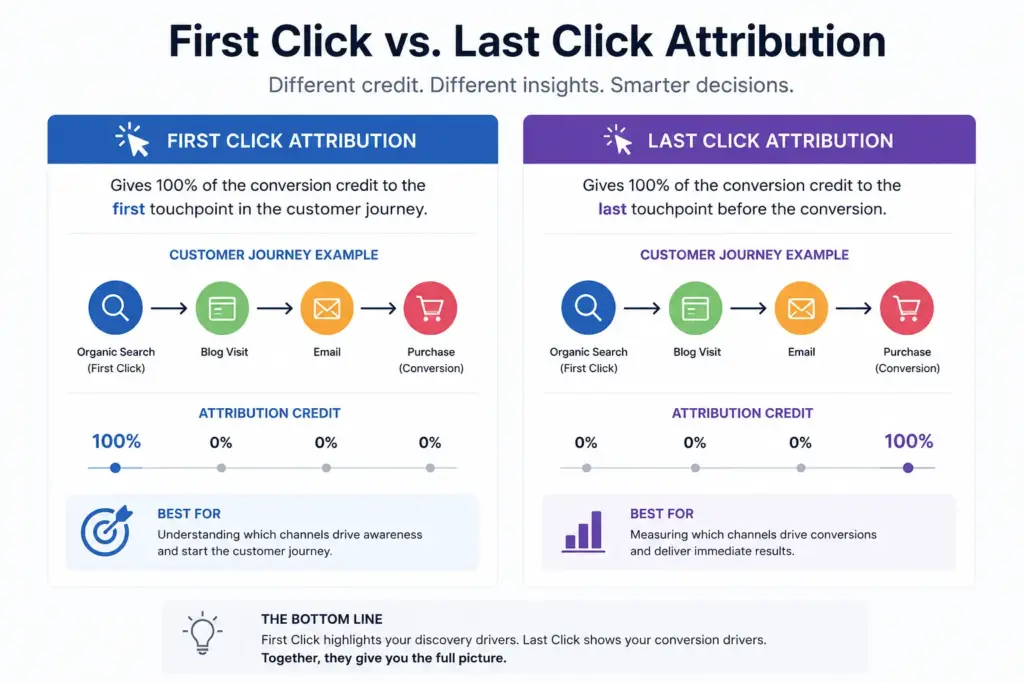
This depends on whether the program uses first-click or last-click attribution.
With first-click attribution, affiliate A gets the credit. They introduced the customer first.
With last-click attribution, affiliate B gets the credit. Their link was the last one clicked before purchase.
Most affiliate programs, including FluentAffiliate, give you the choice. You can configure whether the first affiliate or the last affiliate gets credited for a referral. This matters a lot if you have affiliates competing for the same audience.
There is no universally “right” answer. First-click rewards affiliates who do the awareness work. Last-click rewards those who drive conversions. The best choice depends on your business model and how your affiliates typically promote.
What Clears a Cookie? (Things That Kill Tracking)
This is the part most people overlook. Even with a generous cookie window, several things can wipe out tracking before the purchase happens.
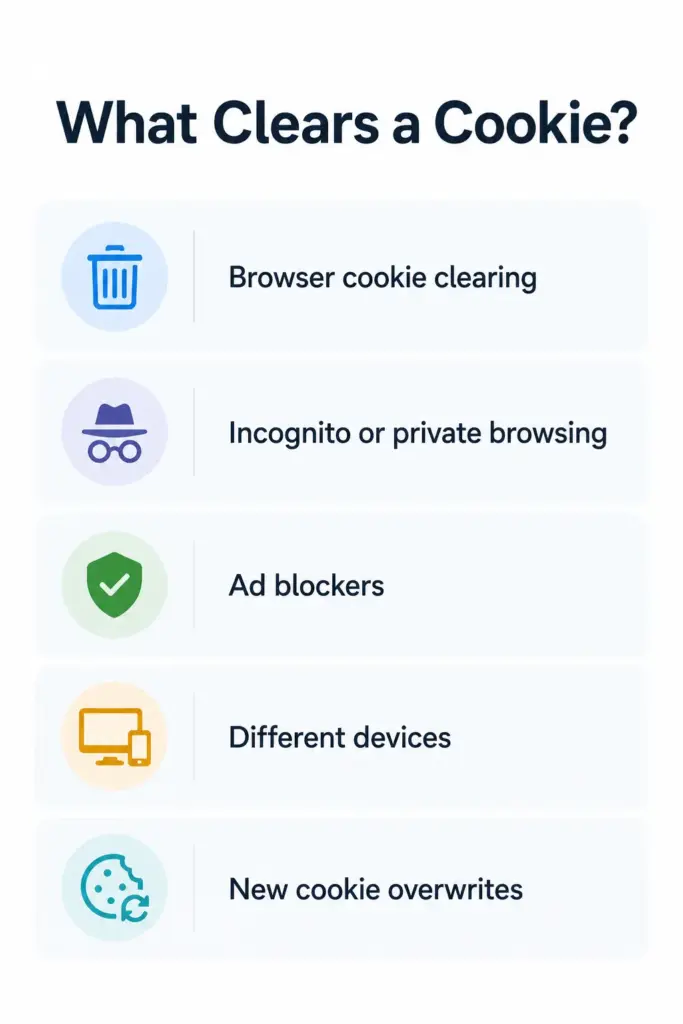
- Browser cookie clearing: Some users routinely clear their cookies for privacy reasons. Once cleared, the tracking is gone.
- Incognito or private browsing: Cookies dropped during a private session are deleted as soon as the browser window closes.
- Ad blockers: Some aggressive ad blockers block third-party tracking cookies entirely. The visitor may never get cookied at all.
- Different devices: A customer clicks your link on their phone but buys on their laptop. Standard cookie tracking cannot follow them across devices.
- New cookie overwrites: If the visitor clicks a different affiliate link later (and the program uses last-click attribution), the new cookie replaces yours.
Understanding these limitations helps set realistic expectations. It also makes the case for building multiple touchpoints with your audience, so when cookies do fail, your relationship and content still drive the conversion.
How to Set Cookie on WordPress Using FluentAffiliate
If you are running your own affiliate program on WordPress, FluentAffiliate makes this incredibly straightforward. You do not need any developer help or complicated setup. Here is exactly how to do it:
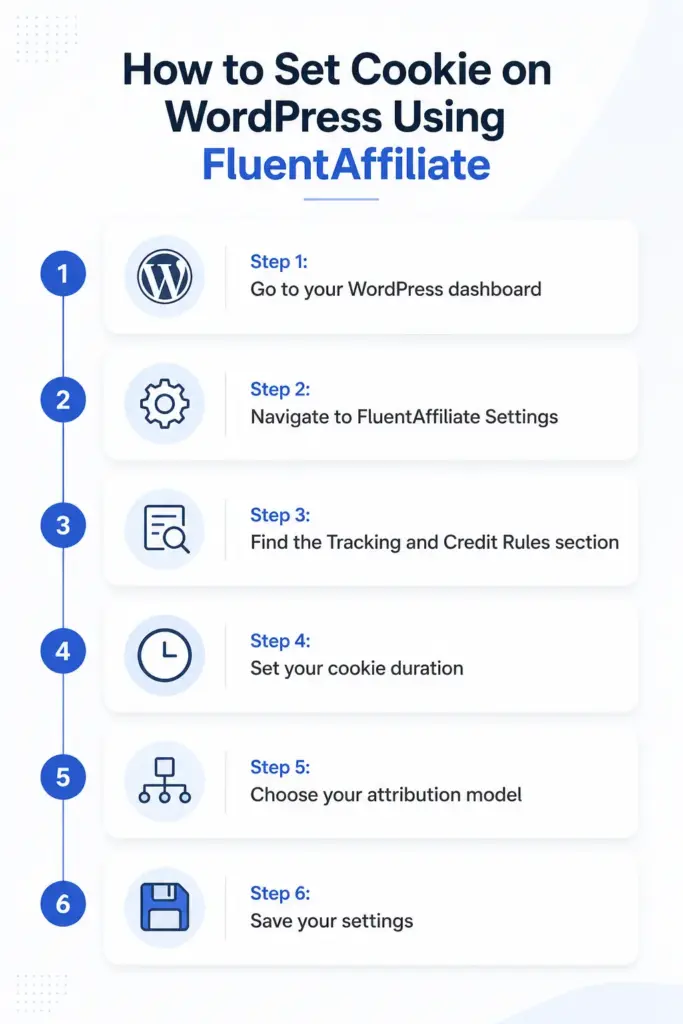
Step 1: Go to your WordPress dashboard
Log in to your WordPress admin panel as usual.
Step 2: Navigate to FluentAffiliate Settings
From the left sidebar, go to FluentAffiliate, then click Settings, and then select Referral Settings from the options.
Step 3: Find the Tracking and Credit Rules section
Scroll down until you see the section labeled Tracking and Credit Rules. This is where the core tracking behavior is configured.
Step 4: Set your cookie duration
You will see a field labeled Cookie Duration. Enter the number of days you want your affiliate tracking cookies to remain active. The default is 30 days, which works well for most businesses.
Step 5: Choose your attribution model
Right above the cookie duration field, you will find the Credit setting. This is where you decide whether the first affiliate or the last affiliate gets credited when multiple affiliates are involved in a single customer journey. Pick whichever aligns with how you want to reward your affiliates.
Step 6: Save your settings
Click the Save Settings button. Done. Your affiliate program now tracks referrals exactly the way you want.
That is genuinely all there is to it. No coding. No complicated configurations. Just a clean settings panel that gives you full control.

Get the Best Affiliate Tracker for WordPress
Choosing the Right Cookie Duration for Your Business
So how long should your cookies actually be? The honest answer is, it depends. But here are some practical guidelines to help you decide.
For impulse-buy products (under $50, low consideration), a 7 to 14 day window is usually enough. Most buyers decide quickly.
For mid-range products ($50 to $200), 30 days hits the right balance. It gives buyers enough time to think without being overly generous.
For high-ticket or complex products (courses, software, consulting, premium memberships), go with 60 to 90 days. These purchases require more research and deliberation.
For subscription-based services, consider lifetime cookies or at least 90 days. The long-term value of each customer makes generous attribution worth it.
One more thing to consider: the longer your cookie duration, the more confident affiliates will feel promoting your products. Affiliate marketers talk to each other. If your program is known for being fair and generous, you will attract better affiliates who put in more effort.
Common Mistakes Program Owners Make with Cookie Duration
Honestly, these are more common than you would expect.
Setting the duration too short to save on commissions. This is shortsighted. Yes, shorter windows mean fewer commissions paid. But they also mean fewer affiliates actively promoting you. The math does not favor stinginess here.
Never revisiting the default settings. A lot of program owners install their affiliate plugin, never touch the cookie settings, and just leave whatever the default was. Make sure you are intentional about your duration choice rather than passive.
Not communicating duration to affiliates. Your affiliates need to know this information. It affects how they create content, how they structure promotions, and how they set their own expectations. Be transparent about it in your affiliate program terms.
Ignoring attribution when multiple affiliates are active. If you have dozens of affiliates, the first-click vs. last-click question becomes very real. Set a policy and stick to it consistently.
Read More: Key Affiliate Program Challenges [How to Overcome]
Why FluentAffiliate Is a Smart Choice for Managing This on WordPress
If you are building an affiliate program on WordPress, you want a tool that gives you control without making it complicated. FluentAffiliate does exactly that.
Beyond cookie duration, it also handles the affiliate dashboard, referral tracking, commission management, payout processing, multi-domain management, and integrations with popular tools like WooCommerce, MemberPress, TutorLMS, FluentForms, and more.
The referral settings page gives you full control over how tracking works, including cookie duration, attribution model, self-referral rules, and even subscription renewal commissions. Everything is in one place, and it is designed to be used by people who are not developers.
If you are still running your affiliate program through a third-party platform with limited control, or patching together multiple plugins to make tracking work, FluentAffiliate on WordPress is worth a serious look.
Wrapping Up
Cookie duration is one of those unsexy behind-the-scenes settings that has a huge impact on your affiliate program’s performance. Too short, and your affiliates lose commissions they genuinely earned. Too long, and you might complicate your attribution. Get it right, and everyone wins.
The key points to walk away with: understand what cookies do, choose a duration that matches your product’s buying cycle, be clear about your attribution model, and communicate all of this to your affiliates.
If you are running an affiliate program on WordPress, FluentAffiliate makes setting this up fast and straightforward. Head over to your Referral Settings, configure your cookie duration, and you are good to go.
Ready to take full control of your affiliate tracking? Give FluentAffiliate a try and see how simple running a fair, high-performing affiliate program can be.




Add your first comment to this post