

How to Track Referrals on WordPress

Referral tracking is the process of monitoring who referred a user, customer, or lead to your business. It helps you measure performance and reward affiliates, partners, or customers for successful referrals.
Without proper tracking, it’s all guesswork. You won’t know which affiliate made a sale, which links are working, or where your traffic is coming from. And honestly, that can get frustrating fast.
The good news? It doesn’t have to be complicated.
In this guide, I’ll show you a simple and beginner-friendly way to track referrals directly inside WordPress using FluentAffiliate.
Key Takeaways: How to Track Referrals on WordPress
- Referral tracking means identifying and recording the source that brought a user, customer, or lead to your business. It allows you to evaluate performance and reward affiliates, partners, or customers for successful referrals.
- Referral tracking uses unique referral links, codes, or tracking cookies to identify who sent each user. Track conversions through analytics tools or affiliate software that records clicks, signups, and sales.
- Affiliate tracking works through links, cookies, and conversions. These three elements work together to identify who referred a customer and when.
- Choosing the right attribution model matters. First-click and last-click attribution decide who gets credit, so pick what aligns with your business goals.
- Using a dedicated WordPress plugin simplifies everything. Tools like FluentAffiliate remove complexity and automate tracking.
- Accurate tracking depends on best practices. Setting proper cookie duration, testing links, and avoiding conflicts ensures reliable data.
- Better tracking leads to better growth decisions. When you know what works, you can reward top affiliates, improve campaigns, and scale faster.
What Is Referral Tracking in WordPress?
Let’s keep this simple.
Referral tracking is the process of tracking who sends visitors or customers to your website through special links. These people are usually your affiliates, partners, or even happy customers sharing your product.
How does it actually work?
Referral tracking works by using unique links, codes, or cookies to pinpoint who referred each user. It then records clicks, signups, and sales through analytics tools or affiliate software.
It’s not as technical as it sounds. Here’s the basic idea:
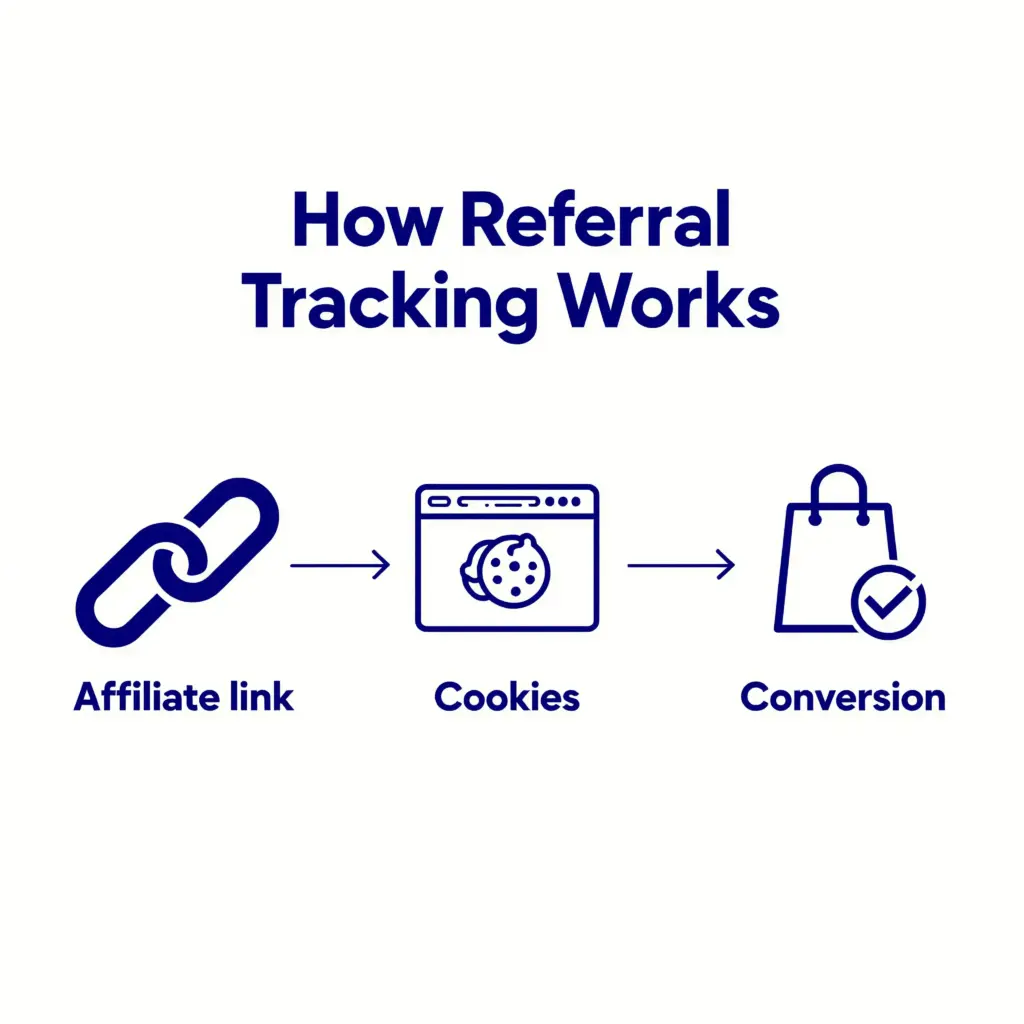
- Affiliate link: Each affiliate gets a unique link (like yoursite.com/?ref=John)
- Cookies: When someone clicks that link, a small file called a cookie is stored in their browser
- Conversion: If that visitor buys something or signs up, the system records it as a referral
So, in simple terms, the link identifies who sent the visitor, and the cookie helps remember that information until the person takes action.
Real-life example
Imagine you run an online store.
You give your friend Sarah an affiliate link. She shares it on her blog. Someone clicks her link today but buys your product two days later. Thanks to referral tracking, WordPress still knows that Sarah brought that customer.
That means Sarah gets credit. You get accurate data. And your affiliate program runs smoothly without any confusion.
Pretty neat, right?
Why Tracking Referrals Matters for Your Business
Let’s be real. Running an affiliate program without tracking is like paying people without knowing what they did. It just doesn’t make sense.
Here’s why referral tracking is so important for your business:
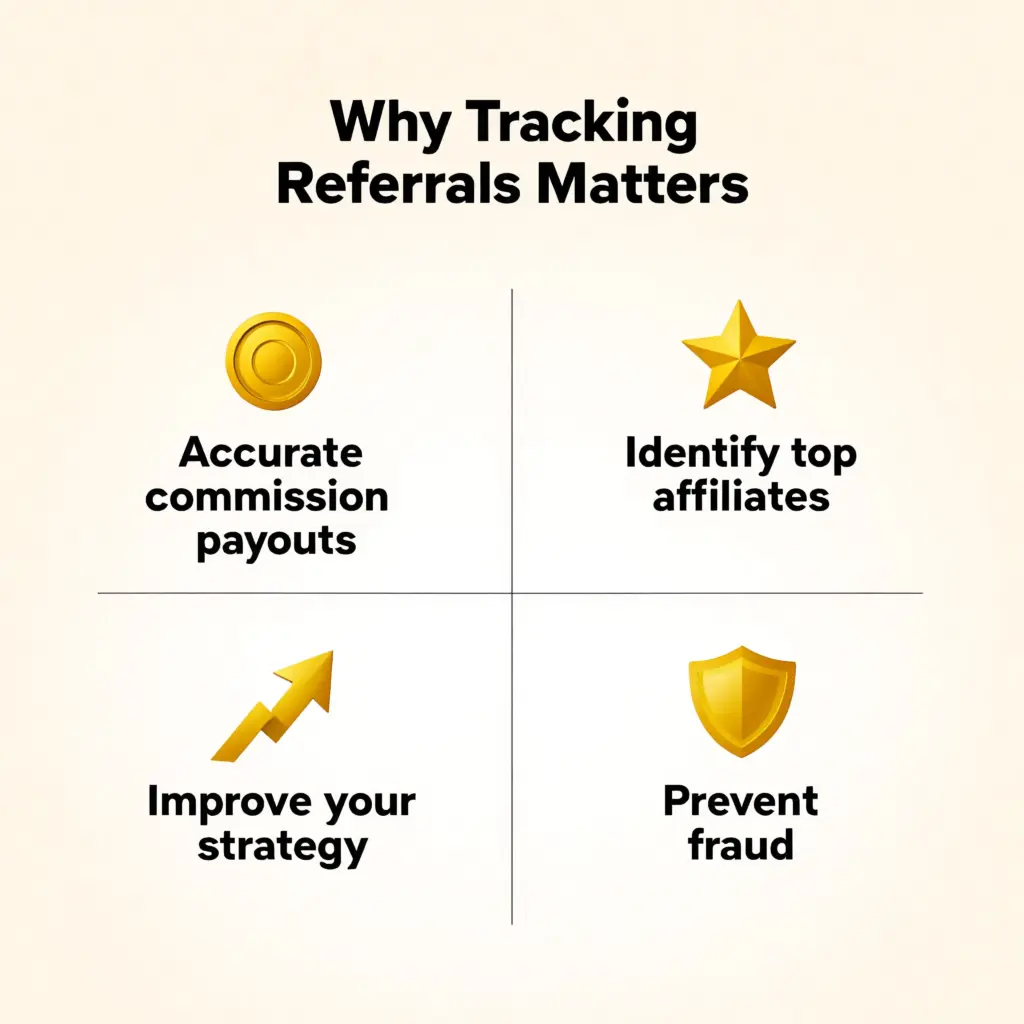
Accurate commission payouts
If you don’t track referrals properly, how will you know who earned a commission?
Good tracking ensures:
- The right affiliate gets paid
- No one gets overpaid or underpaid
- You avoid awkward disputes
It keeps everything fair and transparent for everyone involved.
Identify top affiliates
Not all affiliates perform the same. Some bring in tons of sales, while others barely move the needle.
With proper tracking, you can:
- See who your best performers are
- Reward them with bonuses or higher commissions
- Build stronger relationships with high-value partners
This is how you grow faster without guessing.
Improve your marketing strategy
Tracking referrals gives you real data, not assumptions.
You’ll know:
- Which links are getting clicks
- Which traffic sources convert best
- What campaigns are actually working
Once you see what works, you can double down on it and stop wasting time on things that don’t.
Prevent fraud and fake referrals
Yes, affiliate fraud is a real thing.
Without tracking, you might:
- Pay commissions for fake leads
- Get duplicate or spam referrals
- Lose money without realizing it
A proper tracking system helps you spot unusual activity and keeps your program safe.
In short, referral tracking is not just a “nice to have.” It’s the backbone of a successful affiliate program. Without it, you’re basically flying blind.
Read backend mechnism in detail: How Do Affiliate Links Track Customer Purchases?
Common Ways to Track Referrals (And Their Problems)
When people first try to track referrals, they usually go down one of these paths. At first glance, they seem okay. But once you actually use them, the cracks start to show.
Let’s break them down.
Manual Tracking
This is where most beginners start. You create a spreadsheet and try to track everything yourself.
You might:
- List affiliate names
- Add their links
- Record clicks and sales manually
Sounds simple, right? Well… not really.
The problems:
- Easy to make mistakes
- Time consuming
- Hard to scale as your program grows
Honestly, one small error in your spreadsheet can mess up your entire commission system. And nobody wants angry affiliates asking, “Where’s my payment?”
Google Analytics
Next, many people try using tools like Google Analytics.
It’s powerful. No doubt about that. But here’s the catch.
The problems:
- Setup can feel overwhelming for beginners
- Not built specifically for affiliate tracking
- Difficult to track individual affiliate performance
You can track traffic, sure. But tracking who sent that traffic and which sale they made? That gets complicated fast.
Affiliate Tracking Tools
Then come external affiliate tracking tools. These are built for tracking, so they sound like the perfect solution.
But there’s a trade-off.
The problems:
- Can get expensive quickly
- Often require complex integrations
- Some are not fully optimized for WordPress
You might end up juggling multiple tools just to make everything work together. And let’s be honest, that’s the opposite of simple.
So yes, these methods can work. But they either eat up your time, confuse you, or cost more than they should.
That’s exactly why most WordPress users look for a simpler, all-in-one solution. So now, let me introduce you to the one-stop solution for this!
How to Track Referrals with FluentAffiliate Step-by-Step
Alright, now let’s get to the part you actually came for. No fluff. Just a simple way to track referrals inside WordPress without getting lost.
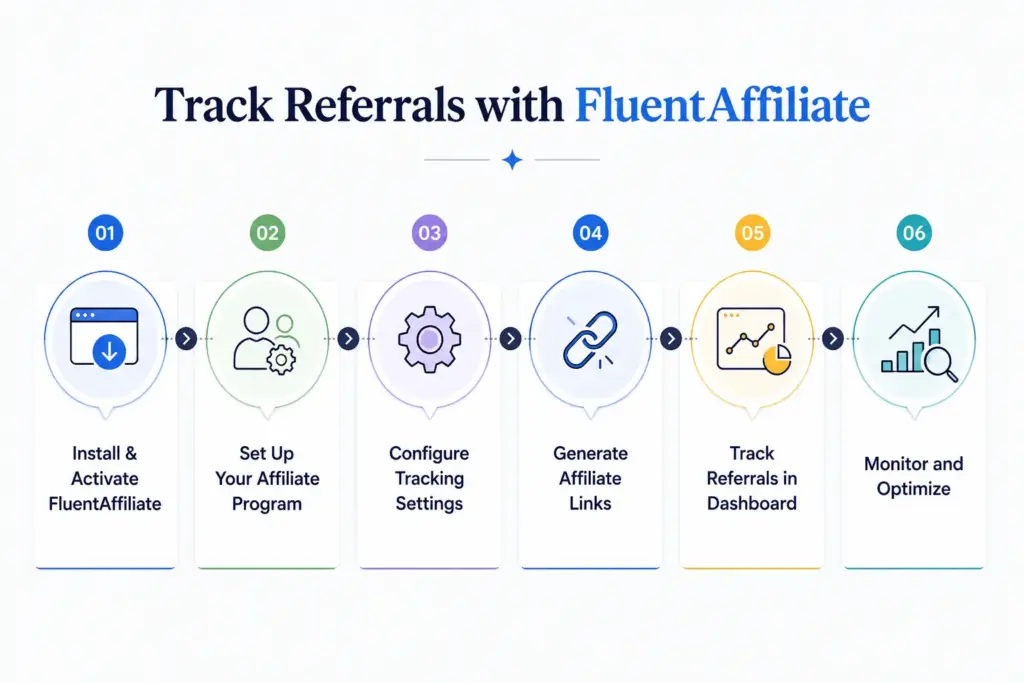
Step 1: Install and Activate FluentAffiliate
First things first, you need to install the plugin.
Go to your WordPress dashboard:
- Navigate to Plugins → Add New
- Search for FluentAffiliate
- Click Install, then Activate
Once activated, you’ll see a new menu in your dashboard. That’s where all the magic happens.
Step 2: Set Up Your Affiliate Program
After activation, you’ll go through a basic setup.
Here’s what you’ll usually do:
- Define your commission structure (percentage or fixed)
- Set basic affiliate rules
- Create your affiliate registration page
Don’t overthink this part. You can always tweak things later.
Step 3: Configure Referral Tracking Settings
This is where tracking becomes powerful.
Cookie duration
A cookie decides how long an affiliate gets credit after someone clicks their link.
For example:
- 7 days means the affiliate gets credit within 7 days
- 30 days is more flexible and common
Longer duration = more chances for affiliates to earn
Attribution model
This decides who gets the credit when multiple affiliates are involved.
Common options:
- First click: first affiliate gets credit
- Last click: last affiliate gets credit
Most businesses go with last click because it reflects the final push before purchase.
Step 4: Generate Affiliate Links
Now it’s time to give your affiliates their unique links.
These links usually look like:
- yoursite.com/?ref=affiliateName
Each affiliate gets their own version. When someone clicks it, the system starts tracking automatically.
Simple and clean.
Step 5: Track Referrals in Dashboard
This is the best part. You don’t need spreadsheets or guesswork anymore.
Inside the FluentAffiliate dashboard, you can see:
Reports overview
- Total clicks
- Total referrals
- Revenue generated
- Top performing affiliates
Conversion tracking
- Who made the sale
- Which link was used
- When the conversion happened
Everything is tracked in real time, so you always know what’s going on.
Step 6: Monitor Performance and Optimize
Tracking is not just about data. It’s about improving.
Once you have the data, you can:
- Reward top affiliates
- Remove inactive ones
- Improve campaigns that are underperforming
Think of it like a feedback loop. The more you track, the better your decisions get.
And that’s it. No complicated setup. No confusing tools. Just a clear system that helps you track every referral without stress.

Get the Best Affiliate Tracker for WordPress
Why Track Referrals Using FluentAffiliate
By now, you’ve seen how messy referral tracking can get with manual methods or complicated tools. So naturally, the next question is… is there an easier way?
That’s exactly where FluentAffiliate comes in.
Instead of juggling spreadsheets, analytics tools, and third-party platforms, FluentAffiliate brings everything into one place. Right inside your WordPress dashboard. No switching tabs. No confusion. Just clear data.
Why it simplifies everything
The biggest win here is simplicity.
You don’t need to:
- Write code
- Connect multiple tools
- Worry about tracking errors
Everything from link tracking to conversion data is handled automatically. You install it, set it up, and it just works in the background.
It’s like going from manual bookkeeping to having a smart assistant that tracks everything for you.
Key benefits of using FluentAffiliate
Here are some of the benefits you can expect from FluentAffiliate:
Built for WordPress
Unlike many external tools, FluentAffiliate is made specifically for WordPress.
That means:
- Seamless integration with your site
- No complex setup
- Works smoothly with your existing plugins
Everything feels native, not forced.
Real-time tracking
No more waiting or guessing.
You can instantly see:
- Clicks on affiliate links
- New referrals
- Conversions and sales
This helps you make faster decisions because your data is always up to date.
Easy-to-use dashboard
Let’s be honest. Most tracking tools feel overwhelming.
FluentAffiliate keeps things simple:
- Clean interface
- Clear reports
- Easy navigation
Even if you’re a complete beginner, you can understand what’s going on without needing a tutorial every five minutes.
In short, FluentAffiliate takes something complex and makes it feel easy. And when tracking becomes easy, growing your affiliate program becomes a whole lot faster.
How Referral Tracking Works Behind the Scenes
Alright, let’s quickly lift the curtain and see what’s happening in the background. Don’t worry, I’ll keep this super simple.
Cookies explained simply
A cookie is just a small piece of data stored in a visitor’s browser.
Here’s how it works:
- Someone clicks an affiliate link
- A cookie is saved in their browser with the affiliate’s ID
- If they come back later and make a purchase, that cookie tells your site who referred them
Think of it like a tiny note that says, “Hey, this person came from Sarah’s link.”
Even if the user doesn’t buy right away, the cookie helps remember the referral for a set period (like 7 or 30 days).
First-click vs last-click attribution
Now, what if a visitor clicks multiple affiliate links before buying?
That’s where attribution models come in.
- First-click attribution:
The first affiliate who brought the visitor gets the credit - Last-click attribution:
The last affiliate before the purchase gets the credit
Most affiliate programs use last-click because it reflects who actually convinced the user to take action.
There’s no “one perfect choice” here. It depends on how you want to reward your affiliates.
Tracking links breakdown
At the core of everything are tracking links.
These are special URLs that include an identifier, like:
- yoursite.com/?ref=john
That “ref=john” part is what makes tracking possible.
When someone clicks that link:
- The system recognizes the affiliate
- A cookie is stored
- Any future purchase gets linked back to that affiliate
And the best part? All of this happens automatically. You don’t have to track anything manually.
So behind the scenes, it’s really just three things working together: links, cookies, and attribution rules. Simple pieces, but when combined, they create a powerful tracking system.
Best Practices for Accurate Referral Tracking
Setting up referral tracking is one thing. Making sure it works accurately is another. A small mistake here can lead to lost data, wrong payouts, or confused affiliates.
Let’s make sure that doesn’t happen.
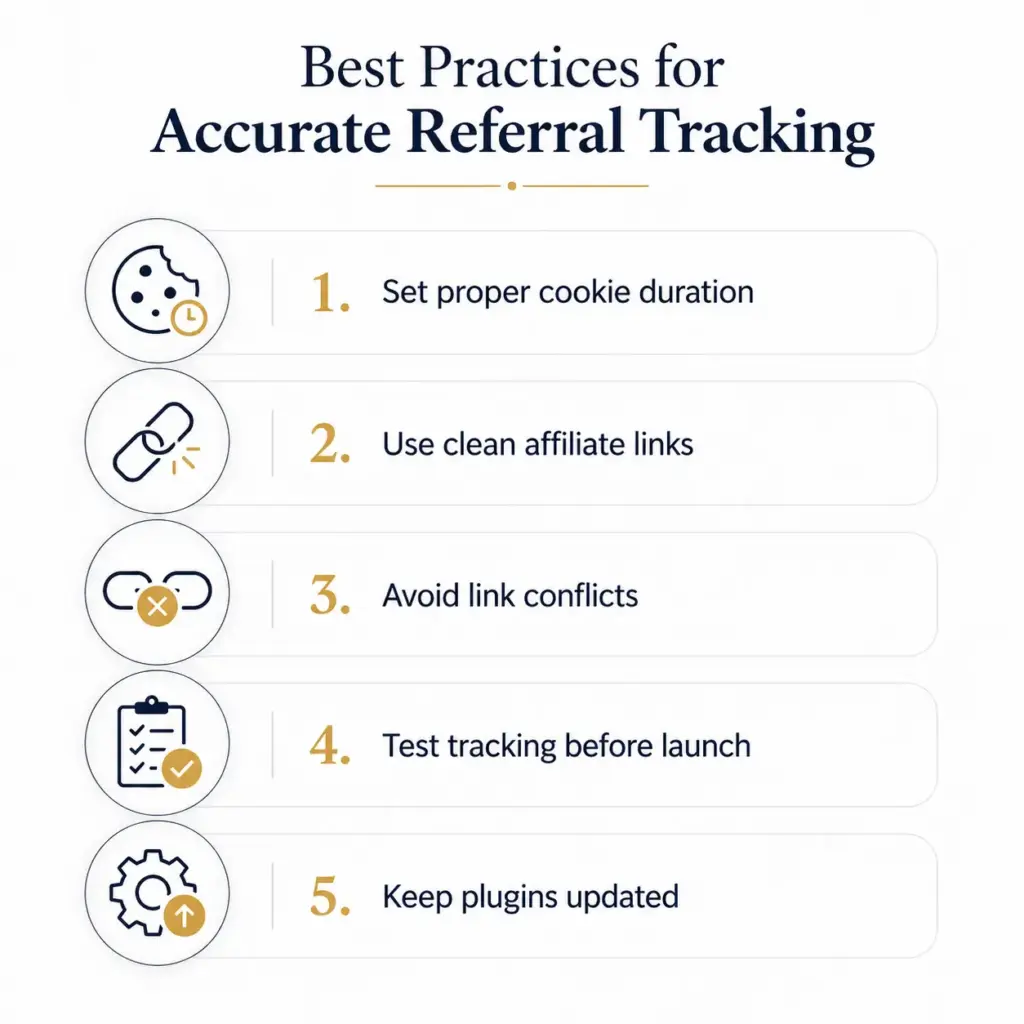
1. Set proper cookie duration
Cookie duration decides how long an affiliate gets credit after someone clicks their link.
If it’s too short:
- Affiliates may lose credit
- You might discourage them from promoting
If it’s too long:
- You might reward the wrong affiliate
A good starting point is 30 days. It’s fair, common, and works well for most businesses.
2. Use clean affiliate links
Messy links can break tracking or confuse users.
Try to:
- Keep links short and readable
- Avoid unnecessary parameters
- Use consistent formats for all affiliates
Clean links are easier to share and less likely to cause tracking issues.
3. Avoid link conflicts
Sometimes other plugins or tools can interfere with your tracking links.
This can happen if:
- Multiple plugins try to track the same link
- URL parameters get overwritten
- Redirects break the tracking flow
To stay safe:
- Use one dedicated tracking system
- Avoid stacking multiple tracking plugins
- Test links when adding new tools
4. Test tracking before launch
This step is often skipped. And it’s a big mistake.
Before going live:
- Click your own affiliate link
- Complete a test purchase or action
- Check if the referral is recorded correctly
It takes a few minutes, but it can save you from major headaches later.
5. Keep plugins updated
Outdated plugins can cause bugs, security issues, or tracking errors.
Make sure to:
- Update your affiliate plugin regularly
- Keep WordPress core updated
- Check compatibility with other plugins
A well-maintained system means reliable tracking.
Follow these best practices, and your referral tracking will stay accurate, reliable, and stress-free. And honestly, that’s what every affiliate program needs.
Closing Notes
Tracking referrals on WordPress might seem confusing at first. But as you’ve seen, it really comes down to a few simple things: using the right links, understanding how cookies work, and having a system that keeps everything organized.
The biggest mistake? Trying to manage all of this manually or with tools that are not built for affiliate tracking. That’s where things usually fall apart.
The good news is, you don’t need to overcomplicate it. With a tool like FluentAffiliate, everything becomes easier, cleaner, and more reliable. You can track every click, every referral, and every conversion without the stress.
Now it’s your turn. Set things up, test your tracking, and take control of your affiliate program.
Start tracking your referrals the smart way today.





Add your first comment to this post