
FluentPlayer: A Video Player for WordPress That Converts Viewers Into Leads
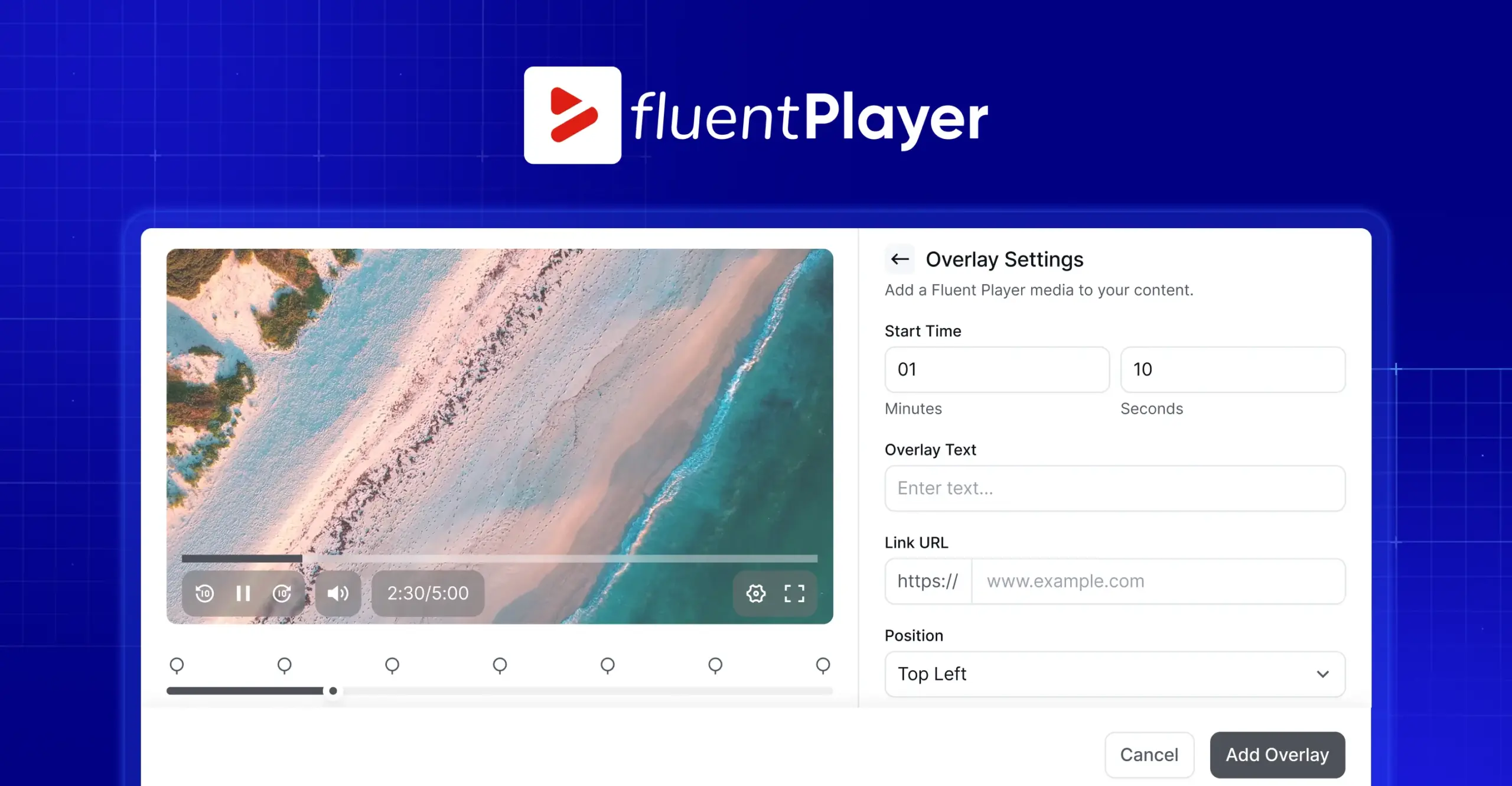
You upload a great video, embed it on your page, and hit publish. Then you notice the player shows another channel’s logo, suggests unrelated videos at the end, and gives you zero idea who actually watched.
Your video is doing the work, but it is sending viewers somewhere else and keeping all the useful data. That gap is exactly what FluentPlayer was built to close.
FluentPlayer Pricing
Simple, one-time pricing. Every plan is a lifetime license.
Freelancer
5 SitesCovers today’s clients, and next year’s.
One-time · Lifetime license
Studio
25 SitesFor growing studios & multi-brand sites.
One-time · Lifetime license
Agency
50 SitesOne license for every client, forever.
One-time · or $89/mo × 9 months
Key Takeaways: FluentPlayer- The Smartest Video Plugin
- FluentPlayer is a native WordPress video and audio player that does far more than embed a file.
- Its standout feature is the in-video Fluent Forms layer, so viewers can subscribe, register, or pay without leaving the video.
- Captured leads flow straight into FluentCRM in real time, with no third-party connector.
- The free version covers self-hosted video, YouTube, Vimeo, audio, chapters, branding, presets, and a Gutenberg block.
- Pro adds analytics, playlists, interactive CTA and hotspot layers, Timed Content, BunnyCDN, Mux, and HLS streaming.
- It is built by WPManageNinja, the team behind FluentCRM, Fluent Forms, and FluentCommunity.
- FluentPlayer is currently in early access, so you can join the waitlist before the public release.
What Is FluentPlayer?
FluentPlayer is a WordPress video and audio player plugin that turns ordinary embeds into interactive, branded, lead-capturing experiences. Instead of just playing a file, it lets you add forms, chapters, custom branding, and analytics, all controlled from inside your own WordPress dashboard.
It is made by WPManageNinja, the team trusted by more than 1.5 million businesses for tools like Fluent Forms, FluentCRM, FluentCart, and FluentAffiliate. So it is not a standalone player bolted onto WordPress. It is part of a connected ecosystem, which is what makes its best features possible.
Why Basic Video Embeds Hold Your Site Back
A plain YouTube or Vimeo embed is fine for hosting a clip. It just was never built for control, engagement, or conversion on your own site.
Think about what happens with a standard embed. The player carries someone else’s branding. You cannot change how it behaves. When the video ends, viewers get pulled toward suggested content that has nothing to do with you. And the watch data lives on a platform you do not own.
That matters more than ever, because video is now central to how people buy and learn. Around 91% of businesses use video as a marketing tool, and 93% of marketers say it gives them good ROI (Wyzowl, 2026 report). Video also makes up roughly 82% of all internet traffic.
So if your videos are working hard but quietly leaking attention, branding, and data to someone else’s platform, you are leaving real value on the table. A video player should keep that value on your site.
What Actually Makes FluentPlayer Different
Plenty of plugins can play a video nicely. FluentPlayer’s real difference is what happens on top of and around the video.
Capture Leads Without Leaving the Video
The biggest thing FluentPlayer does that most players cannot is put a form inside the video itself. Instead of sending a viewer to a separate page to subscribe or sign up, the form appears right in the player at a moment you choose.
Because the form runs on Fluent Forms, it can do more than collect an email. Fluent Forms supports payment fields, so the same in-video layer can take a payment. A viewer can buy a course, pay for a webinar seat, or finish a paid registration without ever pausing to go somewhere else. You catch people while they are most attentive, which is the whole point.
Built Inside the Fluent Ecosystem
Here is where the shared origin pays off. FluentPlayer, Fluent Forms, FluentCRM, and FluentCommunity are all made by the same team, so they talk to each other natively.
When a viewer fills out a capture form in a video, their details go straight into FluentCRM in real time, into the right lists and tags, with no manual import and no sync delay. From there, that contact can drop into an automation immediately.
For membership sites and course creators, FluentCommunity takes it further: self-hosted videos and playlists embed right inside community courses, so members never get pulled out of the environment to watch.
A Closer Look at the Features of FluentPlayer
Let us walk through what you actually get, in plain terms.
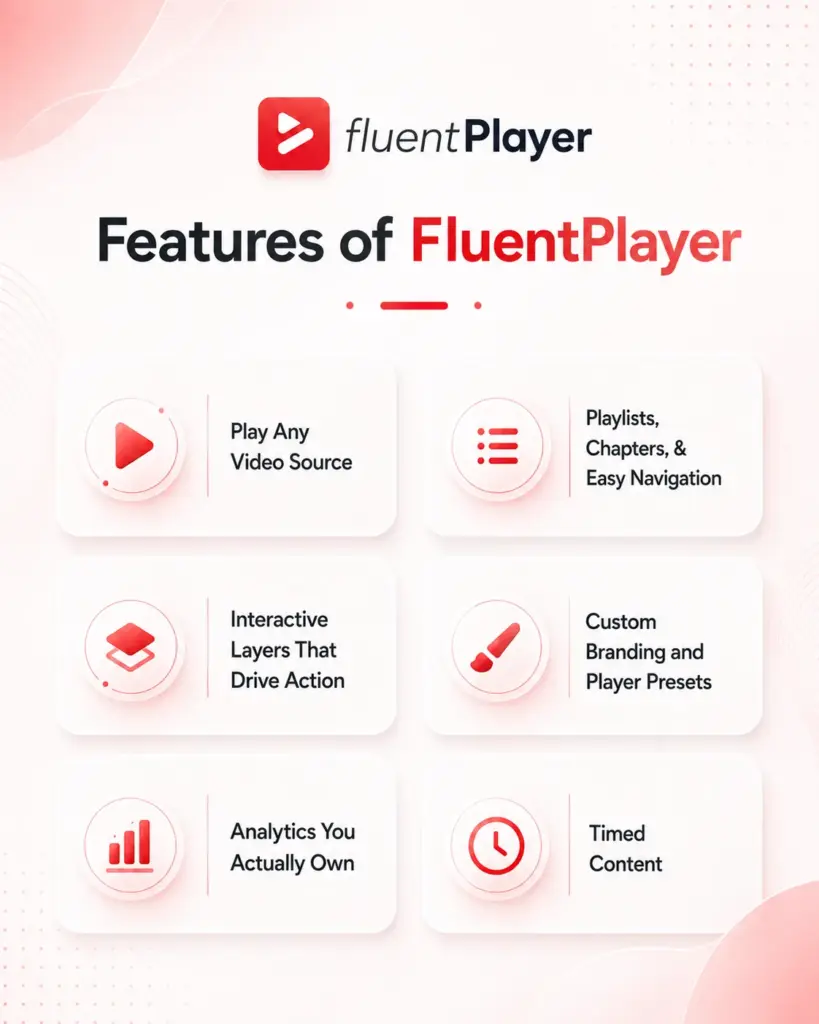
Play Almost Any Video Source
FluentPlayer is not picky about where your video lives. In the free version, you can use self-hosted video from your media library, YouTube, Vimeo, and audio files.
The Pro version adds BunnyCDN Stream, BunnyCDN Storage, Mux, external URLs, and HLS streaming. Same player, same controls, no matter the source.
Playlists, Chapters, and Easy Navigation
Long videos are easier to finish when people can find their way around. Video chapters let viewers jump straight to the part they need, and they are included free.
Pro adds full video playlists, where you group videos into a standard or grid layout and style the colors, borders, and typography to match your site. You can also tag your media to keep a growing library organized.
Interactive Layers That Drive Action
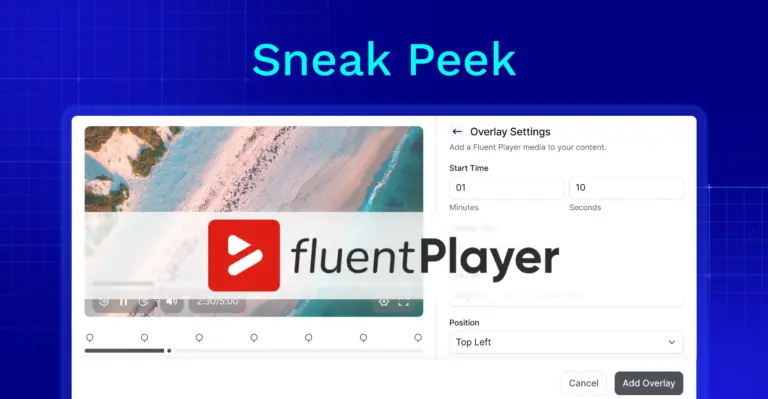
This is the fun part. Interactive layers are elements you place at a specific second in the video rather than fixed page furniture. The free version includes the Fluent Forms layer and an email capture layer.
Pro expands this with CTA banners, clickable hotspots, ad layers, and shortcode layers, each with its own display rules. You can show a layer when a viewer hits a timestamp and hide it after a set time, so every prompt stays relevant to what is on screen.
Pro also adds conditional rules, so the right viewer sees the right layer. A first-time visitor might get an email capture form, while a known FluentCRM contact skips it and sees a course offer instead.
Custom Branding and Player Presets
Your player should look like your brand, not someone else’s. FluentPlayer lets you set your logo, brand color, and control bar color, pick a poster image, and add a title overlay, all in the free version. You also get built-in presets: Default, Modern, Simple, Minimal, Standard, and Floating.
Pro adds an Ambient preset and fully customizable presets you can save and reuse, which is a real time-saver for agencies juggling multiple client sites.
Analytics You Actually Own
You should know more than “the video played.” The Pro analytics dashboard shows views, unique viewers, average watch time, and completion rate per video, plus an audience retention graph that reveals the exact second people drop off.
You also see new versus returning viewers, top videos, top users, and device and location breakdowns. Best of all, this data is stored in your own WordPress database, not handed to an outside platform.
Timed Content
Timed Content is one of FluentPlayer’s more unusual Pro tricks. It shows a WordPress block region below the player that changes as the video plays.
You set a time range, and the matching content appears in sync. Any block works there, including a Fluent Forms form, a button, or a text note timed to a specific moment. It turns a passive video into something closer to a guided lesson.
Check out more features in the Feature Page
Integrations ( Releasign Today)
You’re going to get these today:
- Cloudflare R2 (Pro)
- Cloudflare Stream (Pro)
- Gumlet Video (Pro)
- Gumlet Stream (Pro)
- LearnDash (Pro)
Who FluentPlayer Is Built For
In simple terms, FluentPlayer fits anyone who treats video as more than decoration. A few clear examples:
- Course creators and educators who want chapters, resume playback, and lessons that capture sign-ups inside the video.
- Marketers who want CTA overlays, in-video forms, and lead capture that feeds the CRM automatically.
- Membership and community builders who run gated video right inside FluentCommunity.
- Agencies that need consistent, on-brand players reused across many client sites without rebuilding setup each time.
- Content creators and podcasters organizing growing libraries, since audio gets the same player treatment as video.
The point is flexibility. You can start with a simple branded embed and switch on the heavier features only when you need them.
FluentPlayer Free vs Pro
FluentPlayer launches with a genuinely useful free version and a Pro upgrade for advanced needs.
The free version
It covers a lot:
- Self-hosted,
- YouTube, Vimeo, and audio playback,
- the native Fluent Forms layer, email capture,
- the FluentCRM and FluentCommunity integrations,
- six player presets,
- custom branding, chapters, autoplay, speed control,
- Picture-in-Picture, inline mobile playback,
- language switching,
- the Gutenberg block, and shortcodes.
The Pro
This is for engagement and scale. It adds:
- Video analytics,
- playlists with styling,
- CTA banners, hotspots,
- ad and shortcode layers,
- conditional rules,
- Timed Content,
- custom subtitles with YouTube subtitle import,
- Remember Playback Position,
- customizable presets,
- media tagging,
- and the extra sources like BunnyCDN, Mux, and HLS.
- Pro integrations include Mailchimp, Webhooks, and Google Analytics.
You can see the full split on the Free vs Pro page.
How to Get Started with FluentPlayer
Getting going is the easy part.
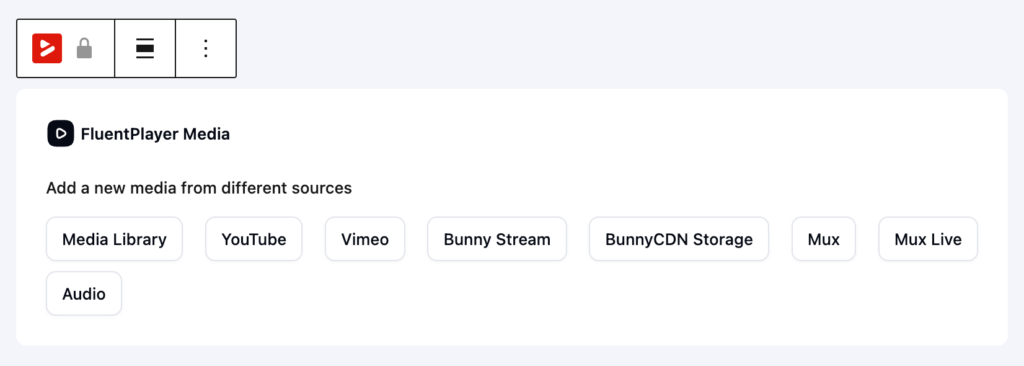
FluentPlayer is built for the block editor, so you add the FluentPlayer block, choose your source, and publish, no code required.
For the classic editor or page builders, every player also generates a shortcode you can paste anywhere.
Since FluentPlayer is in early access right now, the best move is to explore the live demo to see the player and interactive layers in action, then join the waitlist so you are first in line when it opens up.
FluentPlayer Pricing
Simple, one-time pricing. Every plan is a lifetime license.
Freelancer
5 SitesCovers today’s clients, and next year’s.
One-time · Lifetime license
Studio
25 SitesFor growing studios & multi-brand sites.
One-time · Lifetime license
Agency
50 SitesOne license for every client, forever.
One-time · or $89/mo × 9 months
Conclusion
Most WordPress sites already lean on video. The problem is that the typical embed hands your branding, your viewer experience, and your data to a platform you do not control.
FluentPlayer flips that around. It keeps the video, the player, the lead capture, and the analytics on your own site, and it connects them to the Fluent tools you may already use. Whether you are teaching a course, running a campaign, or building a community, it gives your video a real job to do instead of just pressing play.
Take a look at the demo, check the full feature list, and join the waitlist to get early access before everyone else.
Frequently Asked Questions
What is FluentPlayer?
FluentPlayer is a WordPress video and audio player plugin built by WPManageNinja. It plays self-hosted and external videos and adds branding, chapters, in-video forms, lead capture, and analytics, all managed from your WordPress dashboard.
Does FluentPlayer work with self-hosted and external videos?
Yes. The free version supports self-hosted video, YouTube, Vimeo, and audio. The Pro version adds BunnyCDN Stream and Storage, Mux, external URLs, and HLS streaming.
Can I capture emails directly from a video?
Yes. FluentPlayer includes a native Fluent Forms layer and an email capture layer in the free version. Captured contacts flow straight into FluentCRM in real time, or you can connect Mailchimp and webhooks with Pro.
Is FluentPlayer free?
FluentPlayer has a free version with playback, branding, presets, chapters, in-video forms, and the Gutenberg block. A Pro version adds analytics, playlists, interactive layers, Timed Content, and premium video sources.
Does FluentPlayer track how my videos perform?
Yes, with the Pro version. It shows views, unique viewers, average watch time, completion rate, and audience retention, plus device and location data, all stored in your own WordPress database. It can also send data to Google Analytics.
Will FluentPlayer work with my WordPress theme?
Yes. FluentPlayer is built to behave consistently across modern WordPress themes and layouts, including the block editor, and it also provides shortcodes for the classic editor and page builders.
When can I use FluentPlayer?
FluentPlayer is currently in early access. You can join the waitlist on the FluentPlayer website to get notified and gain access ahead of the public release.




Add your first comment to this post